Update: Google Sheets widget has grown 🌱
27 May
00
min read
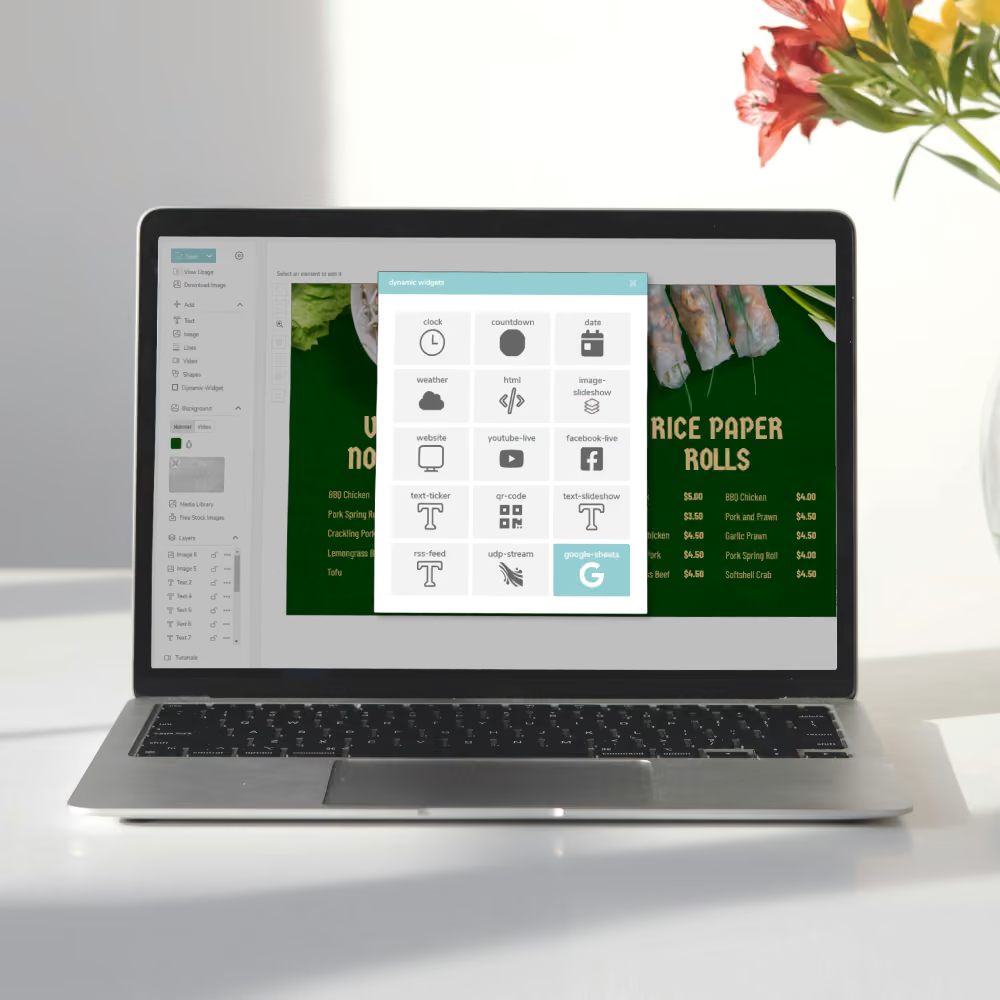

Thanks to your feedback – Google Sheets has evolved! Insert a link to a chosen image within your Google Sheets, and see it update to your screens.
You probably noticed that we launched our new Google Sheets widget recently. A handy little addition to the Fusion Signage Designer – with the ability to pull dynamic data from a Google Sheets document to your screens.
Last Wednesday, we received some feedback. Keep reading to see what happened next. 👀
"This capability is great! It would be great if were able to add hyperlinks of Google Images into Google Sheets to populate image fields."
So we did exactly that! Thanks to Leif from Esem Projects' feedback – we've already grown the capabilities of our Google Sheets widget. You can now insert a link to a chosen image (think menu items, logos, latest house on the market, decorative imagery) to your Google Sheets page to be automatically updated on your screen. 🙌
Add images via the Google Sheets widget
Watch our quick demo on how to populate image fields on your screens via the Google Sheets widget.
The Monthly Sip
Sign up to our newsletter for the latest updates, insights and helpful tips straight to your inbox.
Email*


Looking for something else?
We can’t wait to hear about it. Reach out to our sunshiney support or binge demos on-demand.
.avif)

Become a
Fusion Signage
partner

Our story
We’re an agile team of engineers, dog-lovers and get-stuff-done-ers. Here to make your digital signage feel simple, go powerful and create impact.

<3
Our sunshiney support have an average response time of less than three minutes. <3 that for us.
