All hoola.
Less moolah.
Get everything you need, nothing you don’t. So you only pay for the bits you’ll use.
No hoops*, no credit card, start totally free.
*hoola hoops allowed
Fusion Signage software pricing
Account
Account storage
Cloud storage for media uploaded to your Fusion Signage account.
Monthly bandwidth
Data used to send media to your screens each month.
Cloud based access
Access your digital signage anywhere, any time. All you need is an internet connection.
Media
Media library
Upload, view, manage and organise photos, videos, links and designs into folders.
Upload images and videos
Upload images and videos to have content on your screens in minutes.
PowerPoint and PDF support
Upload and publish existing PowerPoint and PDF files to your screens.
Zone editor
Sync content across multiple screens. One media player, multiple outputs.
Approval system
Choose permissions levels for users, and set approvals for new media added by specific people and even set permissions per location..
Replace media items
Easily replace a media item in all playlists its been added to.
Playlists
Playlist management
Rename, duplicate, move and delete any playlist.
Sub-playlists
Nest playlists inside other playlists to simplify sending signage life.
Media item visibility toggle
Quickly hide a media item within a playlist, without having to delete it.
Media item scheduling
Select times, days and months you’d like individual content scheduled for inside playlists.
Proof of Play reports
A report that shows what played and when. Great if you want to advertise on your screens.
Schedules
Scheduling and dayparting
Schedule content for any time, day, week or month. Calendar view shows exactly what’s playing.
Default playlist functionality
Found within schedules, you can set content to play when no events are scheduled - always reverting back to your default content.
Screens
Screen management
Add, remove and view screens. Even see their licence and what’s playing right now.
Screen online / offline tracking
Real-time alerts if your screen’s offline. Ans A 14-day report to show these stats.
Offline notifications
Set active periods, then receive emails anytime a screen goes offline, as it happens.
Screen grouping
Bundle screens together, show the same content across locations and update all at the same time.
Synchronisation
Sync up multiple screens to play and change content in perfect timing.
Designer
Designer
Drag and drop text, images, videos, widgets into pre-made layouts or create signage from scratch.
Templates
100s of professionally designed templates optimised for digital signage, absolutely free.
3 million free images (via Unsplash)
Instantly add free, commercially-licensed stock images for a pro look minus the photoshoot.
Widgets
Clock, date, weather
Add widgets to digital signage that keep everyone up to date, in real-time.
Countdown
Create buzz and build excitement for events, milestones, prize draws, deadlines or holidays.
HTML
Display third-party system info like POS and timetables on your screens.
Image slideshow
Show a slideshow of images from your media library or Unsplash database within your content.
Text ticker
Have text scroll across the screen. Adjust size, speed, spacing, colour and style.
QR code
Simply put your URL into Fusion Signage and we will generate a QR code for your signage.
Text slideshow
Show a slideshow of text. Adjust size, colour, spacing and style.
RSS feed
Share live titles and descriptions from feeds like ABC, News.com, Microsoft, NASA and more.
Support for streaming services
Support for YouTube, Facebook Live and IPTV-UDP streams like live broadcasts and CCTV footage (BrightSign only).
Integrations
Canva
Create signage designs in Canva and deploy them to your screens without leaving Fusion Signage.
Zapier
Automatically upload files into Fusion Signage from Dropbox, Google Drive and OneDrive.
Google Sheets
Pull data from Sheets through to your screens. Update the doc, see it on screens instantly.
Redcat POS
Input menu items into a design and show real-time displays of drive-thru orders.
Power BI
Display live reports and real data on digital signage screens as they happen.
Tableau
Display live reports and real data on digital signage screens as they happen.
Custom built integrations
Special requirement? Need a system integrated? We can customise it for you, just get in touch.
Users & Security
User accounts
Add as many users as you need, unlimited so everyone’s invited.
User management
Choose which users can add and remove users.
Permission groups
Advanced licences can restrict access to screens, media, playlists and schedules. For Pro, its individual screens and folders for granular control of everything.
ISO 27001 certification
Assurance that your digital signage data is stored securely, with leading international standards.
SOC 2 Type II attestation
An in-depth audit by the AICPA Trust Services Criteria for Security for gold standard security.
2-factor authentication
Protect your account from unwanted access.
Passkeys
A modern, password-free way to access your account.
Single Sign-on (SSO / SAML)
Control user access via Microsoft Entra ID using SAML and SCIM
Audit logs
Track user activity across your account, investigate accidental deletions and troubleshoot.
SCIM integration
Add users via Entra ID directly into a location.
Locations
Location structure
Build a custom hierarchy (like country, state, store) to share media, playlists and schedules with all.
Location management
Admin users can organise screens and users into locations, then grant specific access accordingly.
User permission per location
Define user editing permissions and integrate our approval system for media uploads. Users can have different permissions at different levels and only see what they are assigned to.
Tagging
Tagging system
Access advanced management to easily manage hundreds of screens in a neat few playlists
Application
Support for a range of devices
Android, BrightSign, ChromeOS, Linux, Mac, Tizen, WebOS and web browsers.
Landscape and portrait
Application adjusts to the orientation of the device it is shown on.
Offline caching of content
If your internet connection drops out, all of your content is stored on the local device so will continue to play.
Account
Account storage
Cloud storage for media uploaded to your Fusion Signage account.
Monthly bandwidth
Data used to send media to your screens each month.
Cloud based access
Access your digital signage anywhere, any time. All you need is an internet connection.
Media
Media library
Upload, view, manage and organise photos, videos, links and designs into folders.
Upload images and videos
Upload images and videos to have content on your screens in minutes.
PowerPoint and PDF support
Upload and publish existing PowerPoint and PDF files to your screens.
Zone editor
Sync content across multiple screens. One media player, multiple outputs.
Approval system
Choose permissions levels for users, and set approvals for new media added by specific people and even set permissions per location..
Playlists
Playlist management
Rename, duplicate, move and delete any playlist.
Sub-playlists
Nest playlists inside other playlists to simplify sending signage life.
Media item visibility toggle
Quickly hide a media item within a playlist, without having to delete it.
Media item scheduling
Select times, days and months you’d like individual content scheduled for inside playlists.
Proof of Play reports
A report that shows what played and when. Great if you want to advertise on your screens.
Schedules
Scheduling and dayparting
Schedule content for any time, day, week or month. Calendar view shows exactly what’s playing.
Default playlist functionality
Found within schedules, you can set content to play when no events are scheduled - always reverting back to your default content.
Screens
Screen management
Add, remove and view screens. Even see their licence and what’s playing right now.
Screen online / offline tracking
Real-time alerts if your screen’s offline. Ans A 14-day report to show these stats.
Offline notifications
Set active periods, then receive emails anytime a screen goes offline, as it happens.
Screen grouping
Bundle screens together, show the same content across locations and update all at the same time.
Synchronisation
Sync up multiple screens to play and change content in perfect timing.
Designer
Designer
Drag and drop text, images, videos, widgets into pre-made layouts or create signage from scratch.
Templates
100s of professionally designed templates optimised for digital signage, absolutely free.
3 million free images (via Unsplash)
Instantly add free, commercially-licensed stock images for a pro look minus the photoshoot.
Widgets
Clock, date, weather
Add widgets to digital signage that keep everyone up to date, in real-time.
Countdown
Create buzz and build excitement for events, milestones, prize draws, deadlines or holidays.
HTML
Display third-party system info like POS and timetables on your screens.
Image slideshow
Show a slideshow of images from your media library or Unsplash database within your content.
Text ticker
Have text scroll across the screen. Adjust size, speed, spacing, colour and style.
Integrations
Canva
Create signage designs in Canva and deploy them to your screens without leaving Fusion Signage.
Zapier
Automatically upload files into Fusion Signage from Dropbox, Google Drive and OneDrive.
Google Sheets
Pull data from Sheets through to your screens. Update the doc, see it on screens instantly.
Redcat POS
Input menu items into a design and show real-time displays of drive-thru orders.
Power BI
Display live reports and real data on digital signage screens as they happen.
Users & Security
User accounts
Add as many users as you need, unlimited so everyone’s invited.
User management
Choose which users can add and remove users.
Permission groups
Advanced licences can restrict access to screens, media, playlists and schedules. For Pro, its individual screens and folders for granular control of everything.
ISO 27001 certification
Assurance that your digital signage data is stored securely, with leading international standards.
SOC 2 Type II attestation
An in-depth audit by the AICPA Trust Services Criteria for Security for gold standard security.
Locations
Location structure
Build a custom hierarchy (like country, state, store) to share media, playlists and schedules with all.
Location management
Admin users can organise screens and users into locations, then grant specific access accordingly.
User permission per location
Define user editing permissions and integrate our approval system for media uploads. Users can have different permissions at different levels and only see what they are assigned to.
Tagging
Tagging system
Access advanced management to easily manage hundreds of screens in a neat few playlists
Application
Support for a range of devices
Android, BrightSign, ChromeOS, Linux, Mac, Tizen, WebOS and web browsers.
Landscape and portrait
Application adjusts to the orientation of the device it is shown on.
Offline caching of content
If your internet connection drops out, all of your content is stored on the local device so will continue to play.
Account
Account storage
Cloud storage for media uploaded to your Fusion Signage account.
Monthly bandwidth
Data used to send media to your screens each month.
Cloud based access
Access your digital signage anywhere, any time. All you need is an internet connection.
Media
Media library
Upload, view, manage and organise photos, videos, links and designs into folders.
Upload images and videos
Upload images and videos to have content on your screens in minutes.
PowerPoint and PDF support
Upload and publish existing PowerPoint and PDF files to your screens.
Zone editor
Sync content across multiple screens. One media player, multiple outputs.
Approval system
Choose permissions levels for users, and set approvals for new media added by specific people and even set permissions per location..
Playlists
Playlist management
Rename, duplicate, move and delete any playlist.
Sub-playlists
Nest playlists inside other playlists to simplify sending signage life.
Media item visibility toggle
Quickly hide a media item within a playlist, without having to delete it.
Media item scheduling
Select times, days and months you’d like individual content scheduled for inside playlists.
Proof of Play reports
A report that shows what played and when. Great if you want to advertise on your screens.
Schedules
Scheduling and dayparting
Schedule content for any time, day, week or month. Calendar view shows exactly what’s playing.
Default playlist functionality
Found within schedules, you can set content to play when no events are scheduled - always reverting back to your default content.
Screens
Screen management
Add, remove and view screens. Even see their licence and what’s playing right now.
Screen online / offline tracking
Real-time alerts if your screen’s offline. Ans A 14-day report to show these stats.
Offline notifications
Set active periods, then receive emails anytime a screen goes offline, as it happens.
Screen grouping
Bundle screens together, show the same content across locations and update all at the same time.
Synchronisation
Sync up multiple screens to play and change content in perfect timing.
Designer
Designer
Drag and drop text, images, videos, widgets into pre-made layouts or create signage from scratch.
Templates
100s of professionally designed templates optimised for digital signage, absolutely free.
3 million free images (via Unsplash)
Instantly add free, commercially-licensed stock images for a pro look minus the photoshoot.
Widgets
Clock, date, weather
Add widgets to digital signage that keep everyone up to date, in real-time.
Countdown
Create buzz and build excitement for events, milestones, prize draws, deadlines or holidays.
HTML
Display third-party system info like POS and timetables on your screens.
Image slideshow
Show a slideshow of images from your media library or Unsplash database within your content.
Text ticker
Have text scroll across the screen. Adjust size, speed, spacing, colour and style.
Integrations
Canva
Create signage designs in Canva and deploy them to your screens without leaving Fusion Signage.
Zapier
Automatically upload files into Fusion Signage from Dropbox, Google Drive and OneDrive.
Google Sheets
Pull data from Sheets through to your screens. Update the doc, see it on screens instantly.
Redcat POS
Input menu items into a design and show real-time displays of drive-thru orders.
Power BI
Display live reports and real data on digital signage screens as they happen.
Users & Security
User accounts
Add as many users as you need, unlimited so everyone’s invited.
User management
Choose which users can add and remove users.
Permission groups
Advanced licences can restrict access to screens, media, playlists and schedules. For Pro, its individual screens and folders for granular control of everything.
ISO 27001 certification
Assurance that your digital signage data is stored securely, with leading international standards.
SOC 2 Type II attestation
An in-depth audit by the AICPA Trust Services Criteria for Security for gold standard security.
Locations
Location structure
Build a custom hierarchy (like country, state, store) to share media, playlists and schedules with all.
Location management
Admin users can organise screens and users into locations, then grant specific access accordingly.
User permission per location
Define user editing permissions and integrate our approval system for media uploads. Users can have different permissions at different levels and only see what they are assigned to.
Tagging
Tagging system
Access advanced management to easily manage hundreds of screens in a neat few playlists
Application
Support for a range of devices
Android, BrightSign, ChromeOS, Linux, Mac, Tizen, WebOS and web browsers.
Landscape and portrait
Application adjusts to the orientation of the device it is shown on.
Offline caching of content
If your internet connection drops out, all of your content is stored on the local device so will continue to play.

What our clients say
Get a feel for what it’s like to use Fusion Signage, the digital signage software built from feedback to real features.

Well supported by a company with great integrity
Name
Name
Fusion Signage’s appeal lies in the balance it strikes between powerful functionality and ease of use.
Georgina Japor
Marketing Coordinator at Aktiv Brands (Bucking Bull and Skewerz Kebabz)
The software is extremely user friendly and the team are always available to discuss our needs, provide support and develop cutting edge solutions.
Megan Scollo
Art Director + Design Manager at Concept Eight
I highly recommend fusion signage. They have been so incredibly helpful in establishing our digital signage solution in our restaurant.
Owen Brown
Founder and Director at Smokey Sue’s Barbeque
Fusion Signage software never misses a beat.
Nathan
Owner at Pizza Guardians
Excellent product, gets your information out to all your customers
Leigh Mackrell
Wynyard Bowls & Community Club
The software is easy to use, and once installed it has just done its job. We look forward to using more of their platform across our Club.
Ben Harper
IT Manager at Commercial Club Albury
Your support has been prompt and exceptional. I’m glad we’ve made the switch over to Fusion Signage and dealing with a local company.
Ben Hof
Merimbula RSL Club
Professional, friendly and knowledgeable. Fusion is a great advertising system for small and large businesses. Highly recommend :)
Josie Kerslake
Operations Manager at TASkeno
A great addition to our business. An easy to use system that suits our needs, backed by a supportive team that continue to innovate.
Devan Seamens
Head of Marketing and Technology at YMCA of South Australia
We love the product and so do our clients.
Jo Altman
Operations Manager and Personal Trainer at Pivotal Physiotherapy & Pilates
Fusion Signage stood out to us because it’s really easy to use. From the website on your laptop, it immediately loads to screens. It’s really clear and concise.
Tori
Marketing Manager at Enhance Physio
We've grown to 20 locations now, with more opening this year and at this size and scale the Fusion Signage solution is far more efficient and effective than anything we’ve used before.
Sharon Perryman
Systems and Platforms Specialist at Fitness Cartel Australia
The Fusion portal is super easy to navigate and really user friendly, not to mention the support team are always so helpful whenever you need their assistance.
Macaulay Ryan
Store Development Manager at LSKD
I love that the software is streamlined and simple but that there is the ability for complexity in arranging the content that caters perfectly to our network.
Sarah Durham
MAP Program Manager at Haymes Paint
A great team of people who offer a fantastic product at a reasonable price point. Fusion Signage is powerful and easy to use. Highly recommend.
Jamie Palmer
Project Manager at Xzibit
As a proud Fusion Signage Premium Reseller, we can confidently say that Fusion Signage is one of the world's leading digital signage platforms.
George Bousias
Owner at Brisbane Digital Signage
Fantastic company! Very easy to deal with and took the time to explain concepts to me that I knew nothing about. Communication was on point.
Jordan Burnham
President at Pinnacle Technology Systems
Excellent service and quick to respond. Great product and great company to deal with.
Nicole Peyton
Operations Manager at Qld Club Network Specialists
We've been working with Fusion Signage for digital signage projects since they started. We use it and recommend it in many projects for our clients.
Brock Pinnington
Systems Designer & Integrator at Aria Digital
Fusion signage is a best in market solution for digital signage incorporating innovative features to ensure that messaging is on point.
Ryan Hughes
Owner at Phil Hughes Office Solutions
Fusion is great! As an integrator, being able to set up the hardware and add content all through one portal makes my job a whole lot easier.
Drew Burgess
Director at Focus AV
Deploying Fusion Signage in a number of projects has been a breeze. End users love the ease of use and simplicity.
Matthew Lynch
Philips Professional Displays
The best platform for Digital Signage content management I have ever used!! With the bonus of being an Australian made product!!
Darren Farrell
Amped Digital
Awesome software and on the ball support - Thank you!!
Chris Doolan
Owner at Indigo Prime
STOP! Look no further!! Simply put, The most professional company I have ever worked with. Where the sales team are as knowledgeable as tech support.
Clint Karam
Director at Commercial Electricians Australia
Well supported by a company with great integrity
Mark
Owner at The Big Picture AV
I have investigated many signage CMS platforms over the years, and my go-to is always Fusion Signage.
Benny Holden
Director at Signature Digital Signage
I can't speak highly enough of Fusion Signage. An Australian 🇦🇺 owned and hosted platform with excellent support!
Harrison Savage
Senior Sales Manager at Gippsland Business Machines
Fusion Signage makes life easy, having installed hundreds of digital signage displays and trying a range of different remote management platforms, we now exclusively offer our clients Fusion.
Matt Ottewill
Managing Director at Hexagon Valley
Fusion Signage isn't just a platform – it's a partnership. Fusion’s unwavering support and commitment to remote product demonstrations on our behalf has transformed our pre-sales process.
James Sismanes
Head of Technology Innovations at Vision One
3 Monkeys Audiovisual have been working with Fusion Signage content management for about 4 years, with approximately 27 customers currently using Fusion Signage for their organisation.
Francis Fragomeni
Founding Director at 3 Monkeys Audiovisual
The best CMS we’ve found.
Kelley Noonan
Co-owner at Xzibit
Quality, Reliable software, and the service and response times from the team are excellent. we have used on large rollouts in Retail, Hospitality, and Service Stations.
Mario Tropeano
Managing Director at Tektronics Australia
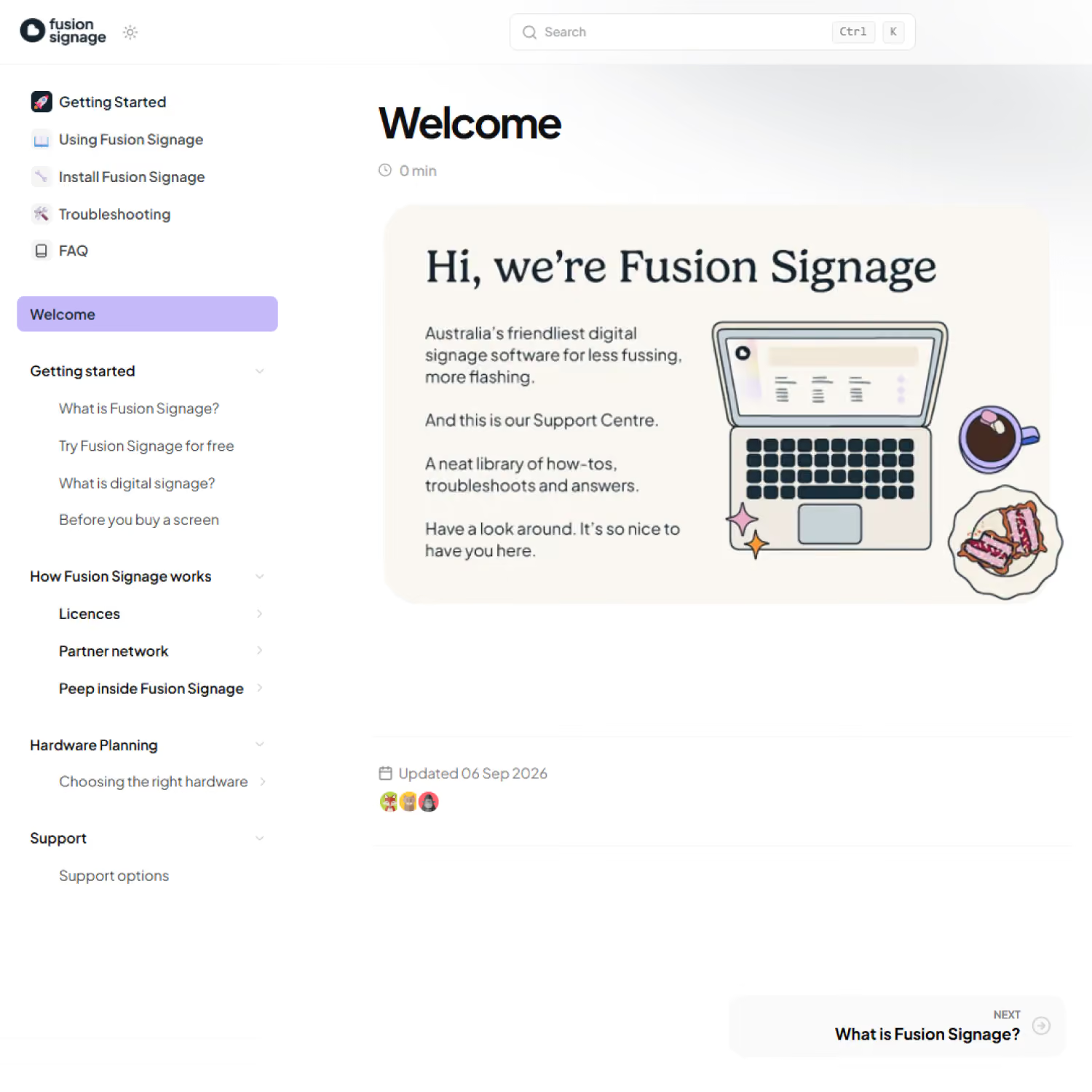
Visit our Support Centre
Making your life easier is our top priority. So if you have a question, the Support Centre homes a heap of handy answers. Run your eyes over it to get started in a flash.
Common questions
What's included in a free trial?
Your 21 day free trial includes a fully functioning licence, allowing you to set up one screen (even if you don't have a digital signage screen yet). You'll receive all the support you need to get you up on your digital feet, with no strings attached.
Which licence is best for me?
Basic is perfect for one location and smaller setups. Advanced is great for multiple screens or locations, and is our most popular option. Pro makes managing hundreds or thousands of screens surprisingly simple.
How long does a licence last?
Our most popular licence durations are 5-year and 3-year, coinciding with the warranty on most commercial-grade screens. Annual licences are also available.
What is the difference between Basic and Advanced?
Basic is suited to single locations, while Advanced is best for multiple stores and many screens. This is mainly because Advanced allows you to schedule multiple screens ahead of time.
What is the difference between Advanced and Pro?
Advanced is ideal if you're managing multiple stores or locations, letting you create, schedule and update content across all screens in minutes. Pro adds enterprise-level features like tagging, single-sign-on, proof of play reports and audit logs, best suited to hundreds of screens.
Do I need to provide a credit card to start a free trial?
No credit card is required to start a free trial.
How many licences do I need?
One licence is needed per screen.
How many licences do I need for a video wall?
If you have one media player being displayed across a 2x2 video wall (four screens total), this would only need one licence. However, if you're using a media player displaying unique content on each screen, then you need a licence per screen.
How do I upgrade?
You can upgrade at any time by reaching out to support or your integrator.
What happens when my licence runs out?
You (or your integrator) will receive a reminder before your licence is set to expire. If you choose not to renew, your screens will continue to display whatever content was previously scheduled, with a Fusion Signage watermark on top, and you won't be able to update or edit the content. The renewal process is easy if you change your mind.
Can I pro-rata my licence payments?
Yes, you can get in touch with support to line up your licence expiry dates.
Do I need to be tech-savvy to use Fusion Signage?
Absolutely not. Fusion Signage is designed to be easy to use, with no technical background required, and support is available if you ever get stuck.
Can I cancel my licence any time?
Yes, you can cancel at any time, with no hoops and no hard feelings.
Have a different pricing question?
We want to hear it! Reach out to our sunshiney support to receive your answer in a flash.
.avif)

Become a
Fusion Signage
partner

Our story
We’re an agile team of engineers, dog-lovers and get-stuff-done-ers. Here to make your digital signage feel simple, go powerful and create impact.

<3
Our sunshiney support have an average response time of less than three minutes. <3 that for us.
